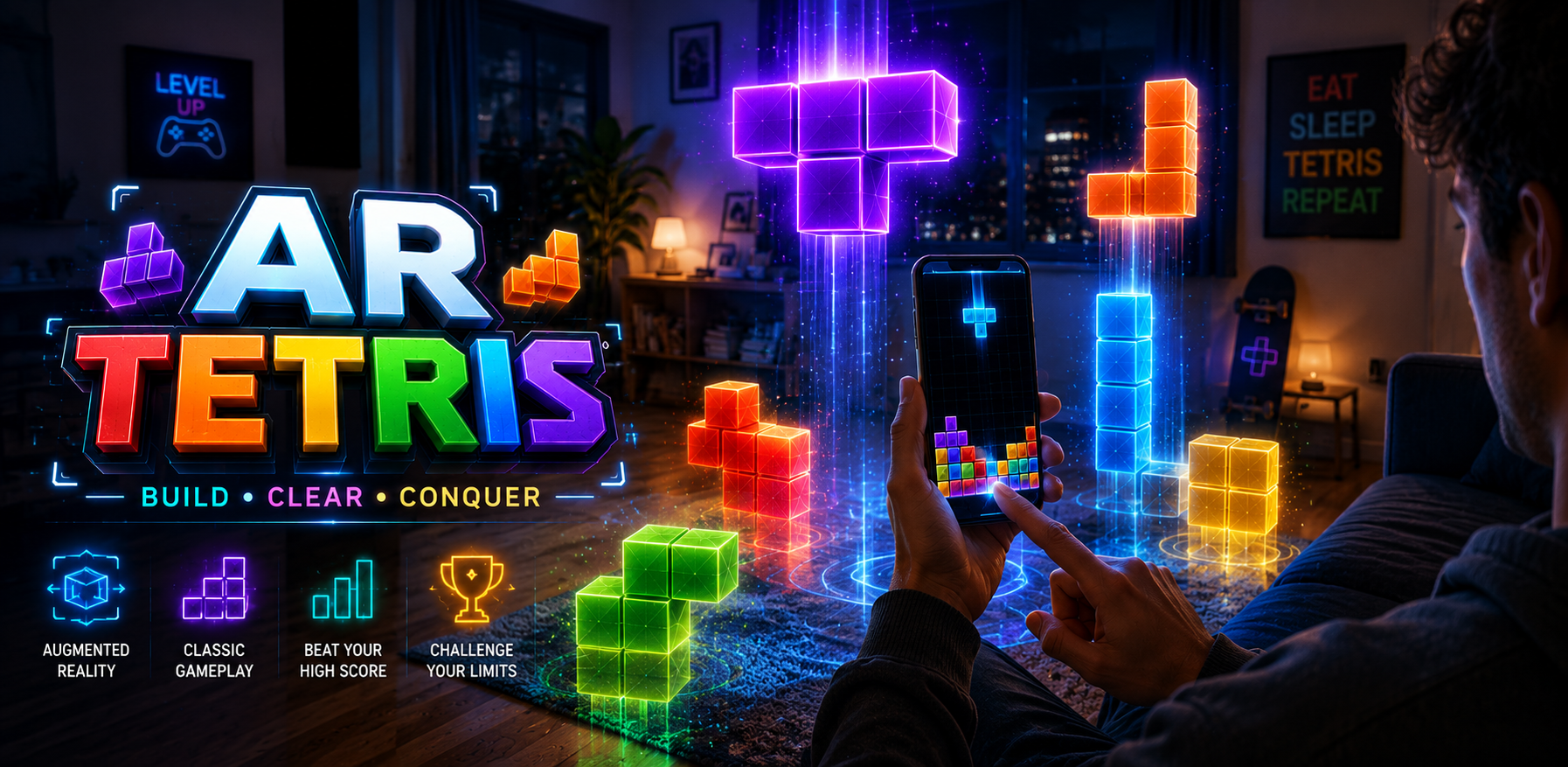
AR TETRIS - Mobile/MetaQuest
BIG NOTE BEFORE YOU BLAME THE GAME, YOUR PHONE, THE MOON, OR THE TETRIS GODS
IF THE CAMERA DOESN'T WORK BECAUSE OF ITCH RESTRICTIONS HERE IS THE GAME IN BROWSER:
AR TETRIS official game link: https://artetris.vercel.app/
AR Tetris
Classic falling blocks, now invading your actual room or VR headset because apparently your floor and face needed more pressure.
Scan the floor. Place the board. Stack the blocks. Clear the lines. Try not to turn your living room into a geometric crime scene.
What is AR Tetris?
AR Tetris is a browser-based augmented reality and VR-friendly puzzle game where classic falling-block gameplay appears in your real-world space or inside a supported VR headset browser. Instead of staring only at a flat screen, you place the Tetris board into your environment and watch colorful blocks fall like they were personally invited to ruin your spatial confidence.
It is classic Tetris logic with an AR and VR twist: move pieces, rotate them, complete horizontal lines, clear space, raise your score, and avoid building a vertical monument to poor planning.
The concept is simple. The execution is less simple, mostly because gravity, AR tracking, VR browser support, your phone camera, your floor texture, browser permissions, and your own confidence all decided to attend the meeting.
How to Play
Open the game on a supported mobile phone or compatible VR headset browser. For the AR version, Android Chrome with ARCore support is recommended. For VR headset play, devices such as Meta Quest may work through the headset browser when WebXR and browser permissions behave like civilized technology.
If itch.io traps the game inside its iframe dungeon and camera permission does not appear, use the official browser link at the top. This is not betrayal. This is modern web permissions doing interpretive dance.
For AR play, tap the AR start button, allow camera access, and slowly scan your floor. Slowly. This is augmented reality, not a sword fight with an invisible mosquito.
When the game detects a valid surface, place the Tetris board. After that, the pieces start falling and your spatial reasoning starts negotiating with panic.
Touch Controls
- Tap left side: Move the falling piece left.
- Tap right side: Move the falling piece right.
- Tap middle: Rotate the piece, because the middle is where serious life choices apparently happen.
- Drag from top to bottom: Hard drop the piece straight down, also known as committing to the mistake with impressive confidence.
VR Headset Play
AR Tetris can also be played on compatible VR headsets such as Meta Quest through the headset browser, depending on WebXR support, browser behavior, permissions, and the device deciding not to be dramatic today.
For the best result on Meta Quest, open the official browser link directly inside the headset browser: https://artetris.vercel.app/
If itch.io blocks camera or immersive access inside the embedded page, use the official external link instead. The iframe is not your friend. It is a tiny permission prison wearing HTML.
Game Rules
- Falling pieces appear one at a time.
- Move and rotate each piece to create complete horizontal lines.
- Completed lines clear from the board.
- Clearing lines increases your score.
- If the stack reaches the top, the game ends because architecture has officially collapsed.
Features
-
Augmented Reality Tetris Gameplay
Place a falling-block puzzle board into your real-world space and play directly on your floor. -
Playable on Supported VR Headsets
AR Tetris can also be played on compatible VR headsets such as Meta Quest through the headset browser, turning falling blocks into a more immersive puzzle arena. Because apparently regular Tetris was not judging you from enough dimensions. -
Classic Line-Clearing Puzzle Rules
Move, rotate, stack, and clear horizontal lines using familiar Tetris-style logic. -
Browser-Based AR / WebXR Play
Play through a supported mobile browser or compatible headset browser without installing an app. -
Touchscreen Controls
Tap left, right, or center to move and rotate. Drag down to hard drop when you are either very sure or completely done thinking. -
Real-World Floor Placement
Scan your space, detect a surface, and place the board in your physical environment. -
Fast Puzzle Sessions
Easy to start, quick to replay, and perfect for short sessions unless the blocks personally offend you.
What Makes This Different?
Normal Tetris lives on a flat screen. AR Tetris shows up in your physical space or VR headset like it pays rent.
You are not only playing against falling blocks. You are also playing against lighting, tracking, browser permissions, surface detection, device support, WebXR compatibility, and your deeply optimistic belief that “this piece will fit.”
It is a puzzle game, an AR experiment, a VR-friendly browser game, and a small test of whether your floor can handle pressure. Emotionally, not structurally. Probably.
Important AR / VR Notes
- This game does not magically work on every phone or headset. That would be sorcery, not development.
- Mobile AR depends on browser support, ARCore support, camera permissions, lighting, and device capability.
- VR headset play may work on devices such as Meta Quest through the headset browser, depending on WebXR compatibility, permissions, and device/browser behavior.
- If the camera does not open on itch.io, use the official external link above.
- If playing on Meta Quest, open the official browser link directly in the headset browser for the best chance of avoiding iframe-related nonsense.
- For best AR results, use Android Chrome on an ARCore-supported phone.
- For best VR results, use Meta Quest Browser or another WebXR-capable headset browser.
- Play AR mode in a well-lit space with a visible floor surface. A dark empty void is bad for both AR and morale.
- If tracking feels unstable, restart the page, improve lighting, or scan a clearer floor area.
Tips for Survival
- Do not stack randomly unless your goal is abstract sculpture.
- Keep the center low.
- Leave room for long pieces.
- Rotate early instead of discovering regret at the bottom.
- Use hard drop only when you are sure, or when you have accepted the consequences.
- If the board feels weird, reset or reopen the official AR link directly.
Why Play AR Tetris?
Because classic falling-block puzzles are already addictive, and putting them in augmented reality or a VR headset makes the whole thing feel slightly more futuristic and slightly less socially explainable.
AR Tetris is made for players who enjoy puzzle games, arcade games, mobile browser games, AR experiments, VR-friendly browser games, Tetris-style gameplay, quick score-chasing sessions, and the very specific thrill of losing to colorful blocks in their own living room or headset.
Good For Players Who Like
- AR games
- VR browser games
- Meta Quest browser games
- Augmented reality experiments
- WebXR games
- Tetris-style puzzle games
- Falling-block puzzle games
- Arcade puzzle games
- Mobile browser games
- HTML5 games
- Touchscreen games
- Motion controller games, if supported by the headset/browser
- Score-chasing games
- Short replayable puzzle sessions
Technical Details
- Type: HTML5 browser game
- Platform: Play in browser
- Supported play modes: Mobile AR, browser play, and compatible VR headset browser play
- VR headset support: Meta Quest and other WebXR-capable headset browsers, when supported by the device/browser
- Genre: Puzzle, Arcade, Other
- Input: Touchscreen, motion controller if supported by headset/browser
- Recommended AR device: ARCore-supported Android phone
- Recommended AR browser: Android Chrome
- Recommended VR browser: Meta Quest Browser or another WebXR-capable headset browser
- Session length: A few minutes
- Gameplay: Falling blocks, line clearing, AR board placement, VR-friendly spatial play, score chasing
- External browser link: https://artetris.vercel.app/
Recommended Itch.io Categories
- Platform: Play in browser
- Genre: Puzzle, Arcade, Other
- Input methods: Touchscreen, Oculus Quest, Motion controller if applicable
- Average session length: A few minutes
- Accessibility: Interactive tutorial if applicable
- Type: HTML5
- Misc: Not in game jams
Final Warning
AR Tetris looks simple. It is not. The blocks fall, the floor watches, the headset judges silently, and your confidence slowly dissolves into colorful cubes.
Good luck. The pieces are coming down whether you are emotionally prepared or not.
Official AR Browser Link: https://artetris.vercel.app/
SEO Tags / Hashtags
#itchio, #gamedev, #indiegames, #gamepublishing, #discoverability, #puzzlegame, #browsergame, #html5game, #indiedev, #ARGame, #VRGame, #WebXR, #MetaQuest, #OculusQuest, #AugmentedReality, #VirtualReality, #TetrisGame, #FallingBlockPuzzle, #Puzzle, #Arcade, #PlayInBrowser, #HTML5, #Touchscreen, #MotionController, #InteractiveTutorial, #NotInGameJams, #MobileGame, #ScoreAttack, #CasualGame, #ShortGame, #WebAR, #ARCore
Development log
- AR Tetris - Development Update20 days ago
- Meta Quest update21 days ago
Leave a comment
Log in with itch.io to leave a comment.